PodWarden Cloud
CatalogCase StudiesNewsDocsGitHubEarly Adopter

PodWarden — Fleet operations as a product

CatalogNewsDocumentationGitHubEarly Adopter|Terms of ServicePrivacy PolicyAcceptable Use
CatalogHome AutomationdataFEED edgeConnector Modbus
dataFEED edgeConnector Modbus

dataFEED edgeConnector Modbus

Softing Industrial Automation

Learn how to self-host
Install with PodWardenLearn how to deploy with PodWarden

Containerized Modbus TCP connectivity module with OPC UA Server and MQTT Publisher functionality for industrial IoT applications.

Home AutomationFree·10mo ago
#protocol-converter#web-based-configuration#datafeed-edgeconnector-modbus#home-automation#scada-connectivity#mqtt-publisher#industrial-iot#remote-management#x509-certificates#rest-api#kepware-alternative#ssl-tls-support#edge-computing#opc-ua-server#modbus-tcp-connectivity
Learn how to self-host
Learn how to deploy with PodWarden

About

dataFEED edgeConnector Modbus is a lightweight industrial gateway that connects to Modbus TCP-enabled field devices such as PLCs, sensors, and controllers. It translates device data into OPC UA services and/or publishes it via MQTT, making it suitable for integration with higher-…

Deployment Options

1 stack

You might also like

dataFEED edgeConnector Allen-Bradley PLC

dataFEED edgeConnector Allen-Bradley PLC

Home Automation

dataFEED edgeConnector FANUC CNC

Home Automation

dataFEED edgeConnector Siemens

dataFEED edgeConnector Siemens

Home Automation

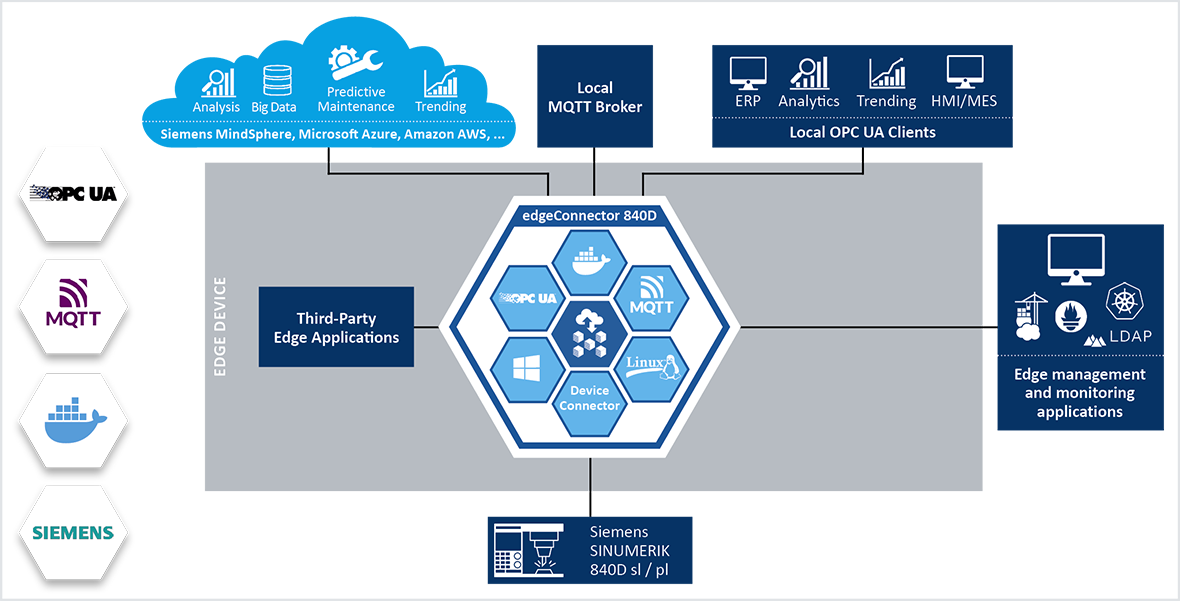
dataFEED edgeConnector 840D

dataFEED edgeConnector 840D

Home Automation

ha-dockermon

ha-dockermon

Home Automation

ozwdaemon

ozwdaemon

Home Automation

Requirements

500m
4Gi

Stacks

dataFEED edgeConnector ModbusService

Author

Softing Industrial Automation

Project page

Tags

#protocol-converter#web-based-configuration#datafeed-edgeconnector-modbus#home-automation#scada-connectivity#mqtt-publisher#industrial-iot#remote-management#x509-certificates#rest-api#kepware-alternative#ssl-tls-support#edge-computing#opc-ua-server#modbus-tcp-connectivity
How to deploy with PodWardenSelf-hosting guide